



有时候,当你在 Claude Code 里完成了一些复杂的事情,你可能想把这个 session 总结保存下来,稍后可以浏览或者分享。
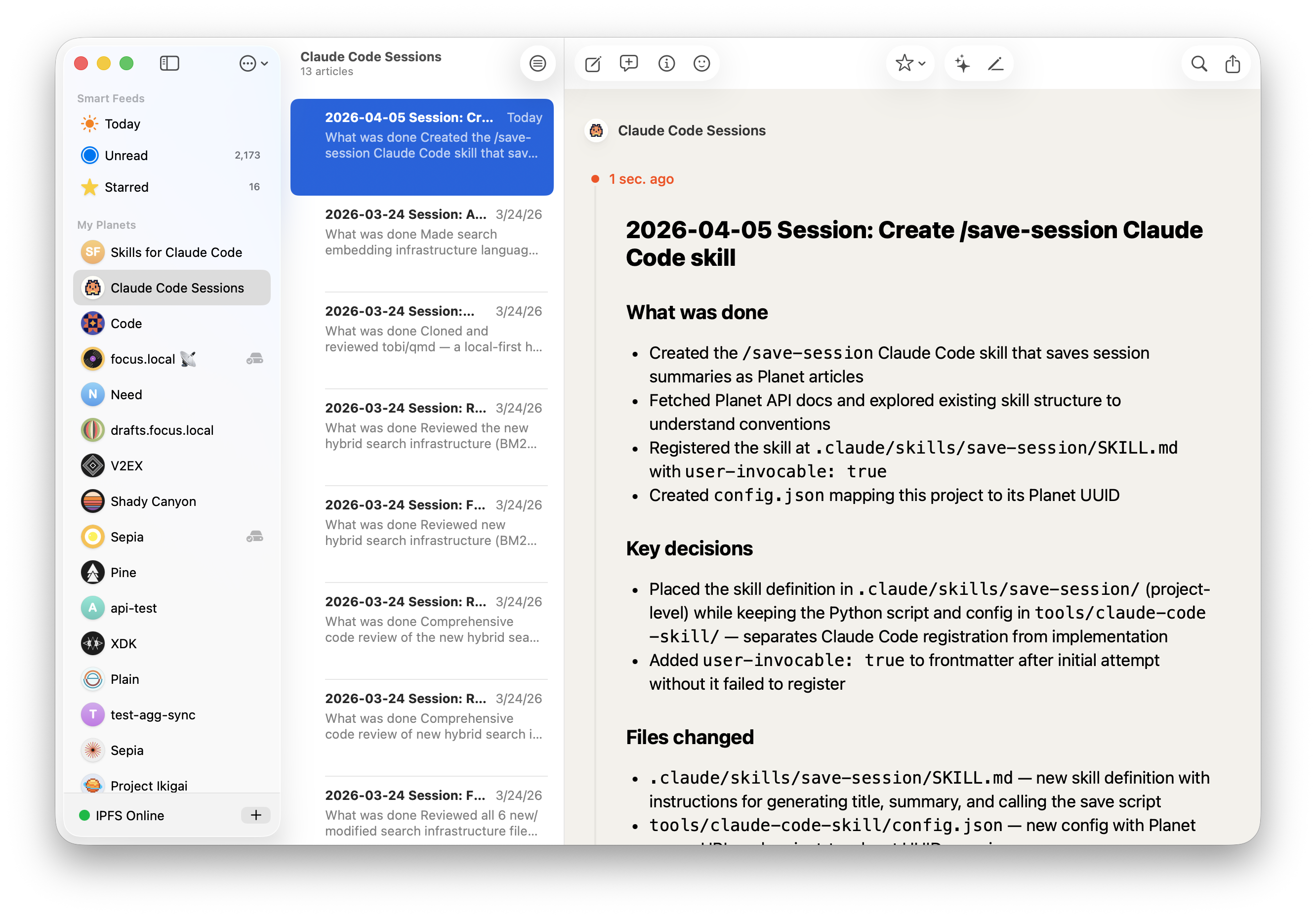
你可以用下面的这个提示词让 Claude Code 来创建一个 skill 将会话保存到 Planet:
Create a Claude Code skill called `/save-session` that saves the current session summary as a Planet article. One planet per project, one article per session. If the article already exists, update it. Planet API docs: https://raw.githubusercontent.com/Planetable/Planet/refs/heads/main/Technotes/API.md 然后你可以用这种方式来告诉 Claude Code 如何映射:
planet server url: http://127.0.0.1:8086 planet uuid for this project: 6A10E06A-C77E-4D43-B96F-4F870ACF7005 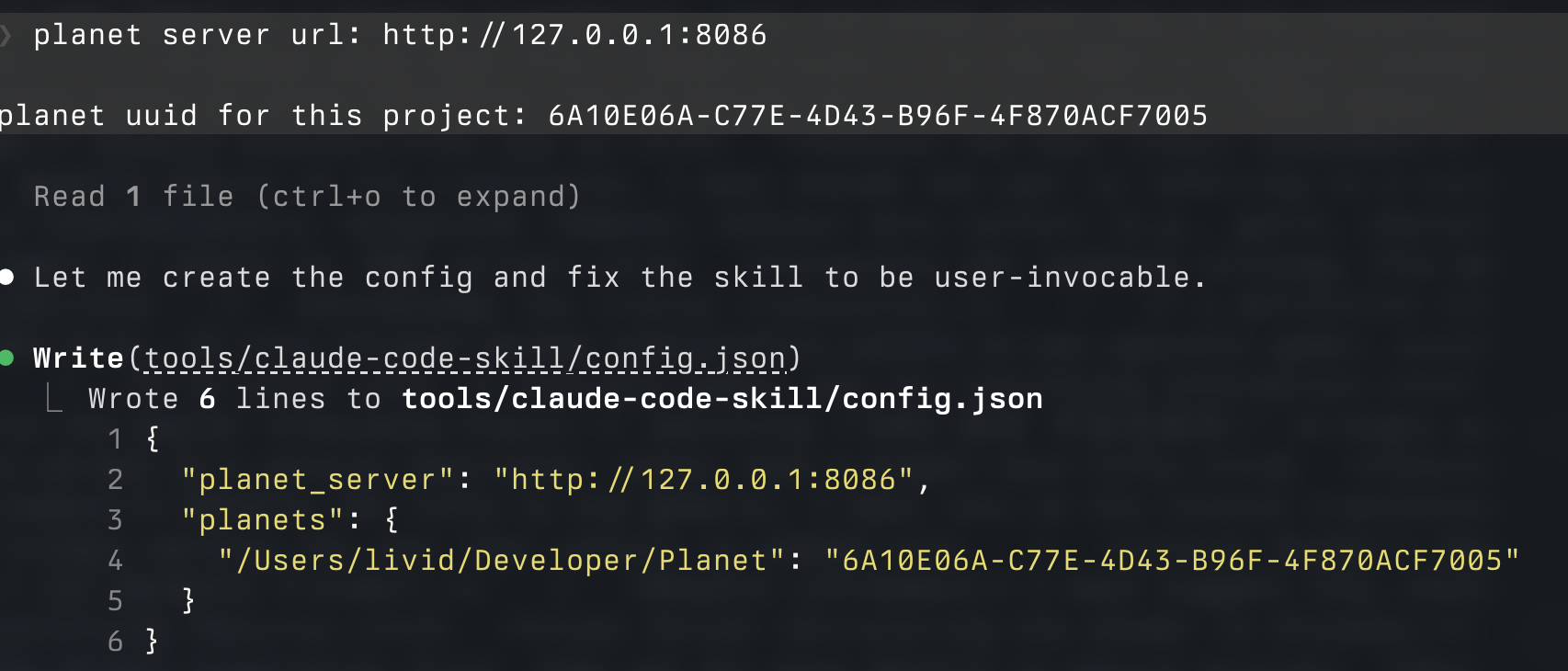
Planet UUID 可以右键 Copy UUID 获得。
然后就可以在需要的时候将会话总结保存进 Planet 稍后浏览或者分享了。
或者也可以用这里已经创建好的 skill 文件:
https://github.com/Planetable/Planet/tree/main/tools/claude-code-skill
 | 1 cairnechen 19 小时 11 分钟前 啊? save-session 是按照 Claude Code 自己存 session memory 的方式保存的吗?还可以这样? 我这两天看源码,还准备自己写 skill 来按照它的方式保存 memory 然后在别的电脑或者 codex 继续工作来着 session memory 在 src\services\SessionMemory\prompts.ts # Session Title _A short and distinctive 5-10 word descriptive title for the session. Super info dense, no filler_ # Current State _What is actively being worked on right now? Pending tasks not yet completed. Immediate next steps._ # Task specification _What did the user ask to build? Any design decisions or other explanatory context_ # Files and Functions _What are the important files? In short, what do they contain and why are they relevant?_ # Workflow _What bash commands are usually run and in what order? How to interpret their output if not obvious?_ # Errors & Corrections _Errors encountered and how they were fixed. What did the user correct? What approaches failed and should not be tried again?_ # Codebase and System Documentation _What are the important system components? How do they work/fit together?_ # Learnings _What has worked well? What has not? What to avoid? Do not duplicate items from other sections_ # Key results _If the user asked a specific output such as an answer to a question, a table, or other document, repeat the exact result here_ # Worklog _Step by step, what was attempted, done? Very terse summary for each step_ |
 | 2 Livid MOD OP PRO @cairnechen 这是我创建的这个 /save-session skill 保存出来的结果: https://k51qzi5uqu5djz1394561aq40dekszqop2rin7v7rc5225sayw51j9tngf8f2c.sol.build/1628B348-2EC3-4042-BBB5-C4A8F58008E0/ |
 | 3 shoaly 19 小时 5 分钟前 更合适的方式是, 开一个工具, 直接将本地所有 session 中的对话整理出来, 同步到某个地方(obsidian 都行), 这样就能随时搜索之前聊了什么, 有时候项目久了, 是需要回头看看某一次说过什么, 机器回过什么的. 现在 cc 做不到跨项目, 跨 session 的搜索 |
 | 4 Tink PRO @shoaly 这个有很多现成的工具,比如 tg_cli ,可以直接查 tg 聊天记录,还有 lossless_claw ,用 sqlite 存每一次对话 |
| 6 Tink PRO @shoaly 就是现在不是有很多 tg 控制 cc 的方案嘛,然后就刚好利用 tg 把 cc 的 session 不压缩保存到聊天记录里面,便于后续查之前的执行过程 |
 | 7 shmilypeter 8 小时 12 分钟前 一些值得保存的 session 我一般会让其总结一下生成一个 html 文件,方便阅读和归档。 感谢 OP 提供 skills |

 Select Language